Table of contents
Collapse all-
LICENSING ONLINE SERVICES
- Licenses for Online Services products
- License reassignment rights
- Versions and editions
- Downgrade and down-edition rights
- Online Services plans
- User types
- External users
- Types of Online Services User SLs
- License assignment
- Tenant-level services
- On-premises use rights
- Other types of Online Services licenses
- Commitment
- Buying Online Services
-
WINDOWS 11 (USER)
- Licensing Windows 11
- Activating Windows 11 Enterprise licenses
- Servicing Channels
- Hotpatching
- Licensing virtual desktops
- Additional Software Assurance benefits
- Extended Security Updates
- Copilot in Windows 11
- Windows 11 in Microsoft 365
- Step-up licenses
- Upgrades and downgrades
- Add-on licenses (To-cloud)
- From SA licenses
- Availability of Windows 11 Enterprise licenses
- Resources: Windows 11
- Microsoft resources: Windows 11
- OFFICE 365/MICROSOFT 365 TOOLS
- MICROSOFT 365 APPS
- OFFICE 365 PLANS
- EMS PLANS
-
MICROSOFT 365 PLANS FOR ENTERPRISE USERS
- Microsoft 365 E7
- Teams or (no Teams)?
- License assignment rules
- Using Windows
- Licensing for virtual desktops
- Use of the Microsoft 365 apps
- Licensing for security and compliance
- Step-up licenses
- 3-year commitment term
- Upgrades
- Add-on licenses (To-cloud)
- From SA licenses
- Special rights to Office Professional Plus
- Included Security Compute Units
- On-premises use rights
- Workplace Discount Program
- Availability of Microsoft 365 Enterprise plans
- Other interesting licenses
- Resources: Microsoft 365 plans for Enterprise users
- Microsoft resources: Microsoft 365 plans for Enterprise users
-
MICROSOFT 365 PLANS FOR SMB USERS
- Microsoft 365 Business plan licenses (original)
- Microsoft 365 Business plan licenses (no Teams)
- License assignment rules
- Combining licenses
- Using Windows
- Licensing for virtual desktops
- Use of the Microsoft 365 Apps
- Licensing for security and compliance
- Step-up licenses
- Upgrades
- Add-on licenses (To-cloud)
- From SA licenses
- On-premises use rights
- Availability of Microsoft 365 Business plans
- Resources: Microsoft 365 plans for SMB users
- Microsoft resources: Microsoft 365 plans for SMB users
-
PLANS FOR FRONTLINE WORKERS
- Frontline Worker plan licenses
- Teams or (no Teams)?
- License assignment rules
- Using Windows
- Licensing for virtual desktops
- Use of the Microsoft 365 Apps
- Licensing for security and compliance
- Step-up licenses
- Upgrades
- Add-on licenses (To-cloud)
- From SA licenses
- On-premises use rights
- Availability of plans for Frontline Workers
- Resources: Plans for Frontline Workers
- Microsoft resources: Plans for Frontline Workers
- OFFICE 365 AND MICROSOFT 365 (NO TEAMS) LICENSES
- STANDALONE ONLINE SERVICES
- MICROSOFT 365 FOR CONSUMERS
- WINDOWS 365
- VIVA
-
COPILOT
- Microsoft 365 Copilot Chat
- Microsoft Copilot Pro
- Microsoft 365 Copilot Business
- Microsoft 365 Copilot
- Microsoft 365 Copilot for Education
- Microsoft 365 Copilot for US Government
- Sales in Microsoft 365 Copilot
- Service in Microsoft 365 Copilot
- Finance Solution in Microsoft 365 Copilot
- GitHub Copilot
- Copilot in Azure
- Agent 365
- Security Copilot
- Dragon Copilot
- Copilot Studio
- Resources: Copilot
- TEAMS
- TEAMS MEETINGS AND EVENTS
- TEAMS CALLING
- TEAMS ROOMS, DEVICES, AND SPACES
- VISIO ONLINE
- MICROSOFT PROJECT
-
MICROSOFT DEFENDER
- Microsoft Defender XDR
- Microsoft 365 Defender
- Microsoft Defender for Cloud Apps
- Microsoft Defender for Office 365
- Microsoft Defender for Identity
- Microsoft Defender for Endpoint
- Microsoft Defender for Cloud
- Microsoft Defender Vulnerability Management
- Microsoft Defender Threat Intelligence
- Microsoft Defender for IoT
- Microsoft Defender for Business
- Microsoft Defender Experts
- Resources: Microsoft Defender
- Microsoft resources: Microsoft Defender
- MICROSOFT SENTINEL
- MICROSOFT INTUNE
- MICROSOFT ENTRA
- MICROSOFT PRIVA
- MICROSOFT PURVIEW
-
DYNAMICS 365 CRM APPS
- Available licenses
- User and Device Subscription Licenses
- Professional and Enterprise licenses
- Base and Attach licenses
- Team Members licenses
- Licensing external users
- Included rights and entitlements for other Dynamics apps
- Add-on licenses (In-cloud)
- Step-up licenses
- Upgrades
- On-premises use rights
- Dataverse capacity
- Availability of Dynamics 365 CRM apps licenses
- Resources: Dynamics 365 CRM apps
- Microsoft resources: Dynamics 365 CRM apps
- DYNAMICS 365 SALES
- DYNAMICS 365 CUSTOMER SERVICE
- DYNAMICS 365 CONTACT CENTER
- DYNAMICS 365 FIELD SERVICE
- DYNAMICS 365 CUSTOMER INSIGHTS
- DYNAMICS 365 MARKETING (ORGINAL)
- DYNAMICS 365 CUSTOMER INSIGHTS (ORIGINAL)
- DYNAMICS 365 CUSTOMER VOICE
-
DYNAMICS 365 ERP APPS
- User Subscription Licenses
- Base and Attach licenses
- Minimum purchasing requirements
- Team Members licenses
- License management
- Licensing external users
- Included entitlements for other apps
- Step-up licenses
- Upgrades
- On-premises use rights
- Dynamics ERP apps capacity
- Availability of Dynamics 365 ERP apps licenses
- Resources: Dynamics 365 ERP apps
- Microsoft resources: Dynamics 365 ERP apps
- DYNAMICS 365 COMMERCE
- DYNAMICS 365 FINANCE
- DYNAMICS 365 HUMAN RESOURCES
- DYNAMICS 365 SUPPLY CHAIN MANAGEMENT
- DYNAMICS 365 PROJECT OPERATIONS
- DYNAMICS 365 INTELLIGENT ORDER MANAGEMENT
- DYNAMICS 365 FRAUD PROTECTION
- DYNAMICS 365 ELECTRONIC INVOICING
-
DYNAMICS 365 BUSINESS CENTRAL
- Business Central Essentials and Premium licenses
- Business Central Device license
- Business Central Team Members license
- Base and Attach licenses
- Microsoft 365
- Licensing external users
- Business Central capacity
- Step-up licenses
- Upgrades
- On-premises use rights
- Availability of Business Central licenses
- Microsoft resources: Business Central
- DYNAMICS 365 GUIDES
- DYNAMICS 365 REMOTE ASSIST
- POWER BI
- POWER APPS
- POWER APPS PORTALS (LEGACY)
- POWER PAGES
- POWER AUTOMATE
- COPILOT STUDIO
- POWER VIRTUAL AGENTS (LEGACY)
- AI BUILDER
- DATAVERSE
- BUYING ONLINE SERVICES: EA
- BUYING ONLINE SERVICES: MPSA
- BUYING ONLINE SERVICES: SELECT PLUS
- BUYING ONLINE SERVICES: OPEN PROGRAMS
- BUYING ONLINE SERVICES: CSP (LEGACY)
- BUYING ONLINE SERVICES: CSP (NCE)
- BUYING ONLINE SERVICES: MCA-E
Audio Conferencing
Overview
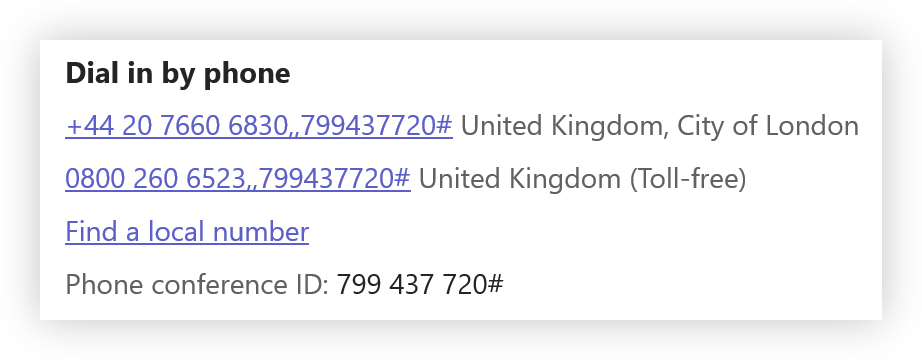
When you set up a Teams Meeting you typically send a meeting request which includes a link to join the meeting via the Teams app. If you want people to be able to join a meeting from a traditional telephone then you need to provide a dial-in number, which may be a toll or toll-free number, as shown below:
Licensing
Meeting organizers who want to provide these dial-in details in their meeting requests need to be licensed for Audio Conferencing. A full Audio Conferencing license is included for users licensed for Office 365 E5 or Microsoft 365 E5/E7. Alternatively, there’s a $0 Audio Conferencing license which may be acquired for users licensed with one of the following:
- Teams Enterprise/EEA
- Microsoft 365 Business Basic/Standard/Premium
- Office 365 E1/E3 or F3
- Microsoft 365 E3 or F1/F3
If you want to acquire a toll-free number (below) then you need to make sure that overage is enabled. This means that anyone using the toll-free number dialing into the meeting won’t be charged, but the organization that owns the meeting will be charged on a Pay-As-You-Go basis.
Phone numbers
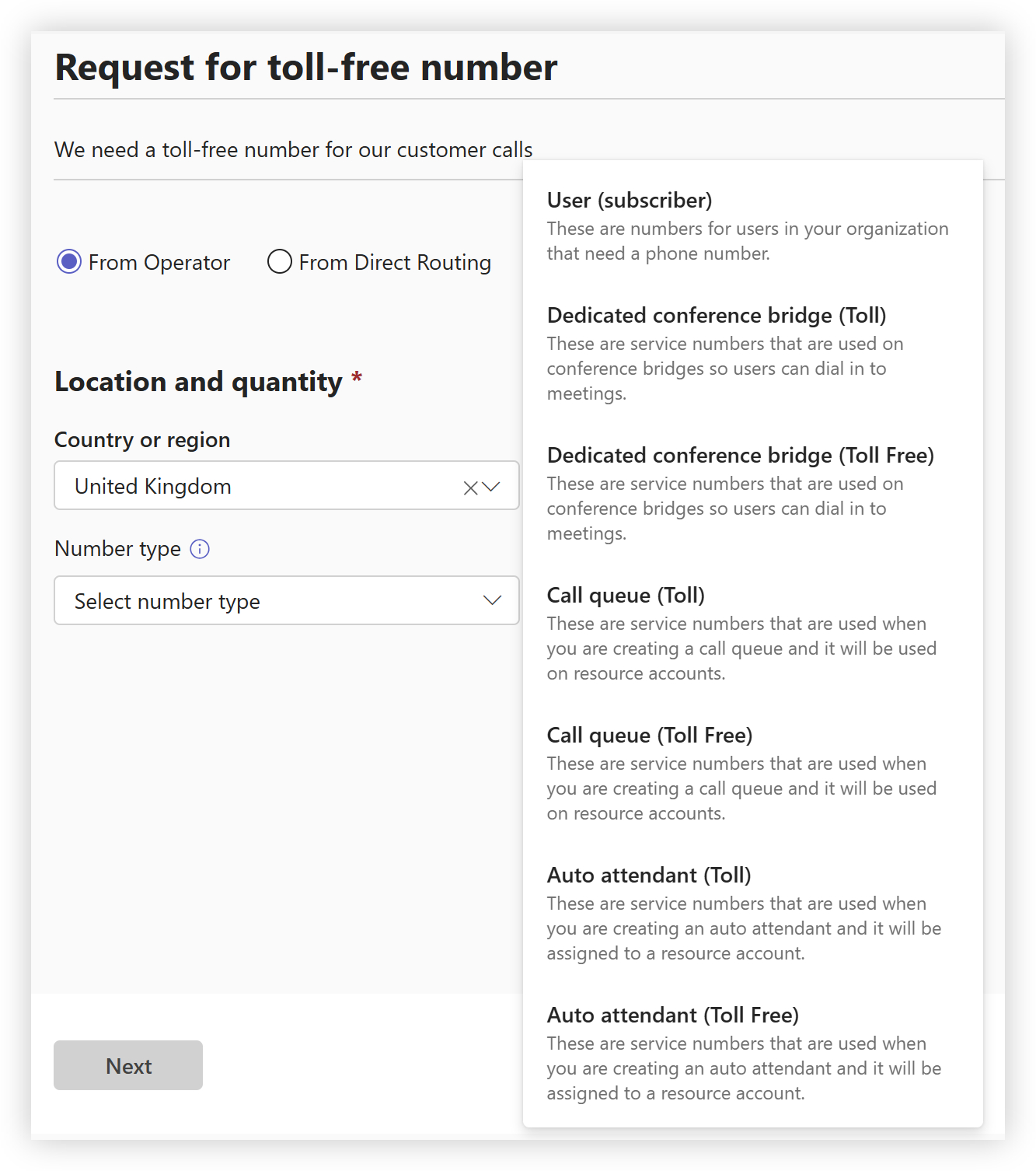
Depending on the specific availability of Audio Conferencing and Calling Plans in a particular country, shared dial-in numbers for major cities are available, and you just need to select the one you want as the default to appear in meeting requests. If you want a dedicated dial-in number or a toll-free number, then you place an order for the numbers in the Teams Admin Center, as shown below:
Dial-out
Today there’s a full Audio Conferencing experience and a $0 license which adds Audio Conferencing capabilities. What’s the difference? It’s all about the “dial-out” capabilities that are included. Dial-out is when the meeting places an outbound PSTN call – perhaps you realize that you need someone else in the meeting and you use their phone number to add them to the meeting. Or, if you’ve enabled the Call Me feature, a user can join a meeting and choose this option, and then the meeting will dial out to add them to the conference.
The full Audio Conferencing experience includes 60 minutes per user per month for dial-out calls to non-premium numbers in a Zone A country. The full name of the $0 license is actually “Microsoft Teams Audio Conferencing with dial-out to USA/CAN” and, while not exactly snappy, describes its capabilities – you only get 60 minutes of dial-out to US or Canadian numbers. If you want to dial out to a non-included country, then you need overage enabled and you’ll be charged on a Pay-As-You-Go basis for these calls.
While the minutes pools of both types of licenses are pooled (separately), note that the minutes pool you get with the free licenses is based on the licenses assigned to users, rather than the number of licenses that you’ve acquired. For both types of licenses, if you run out of included minutes, then you need overage enabled to carry on using the dial-out capabilities on a Pay-As-You-Go basis.
History
December 2015: PSTN Conferencing was launched under the Skype for Business Online brand. This was arguably rather a good name because it described exactly what it did – allowed you to join a conference using the PSTN.
October 2017: PSTN Conferencing was renamed to Audio Conferencing.
March 2022: The $0 Audio Conferencing license was made available.